
Crypto.com Users Targeted by Phishing Campaign Abusing Company's Email Domain
One of my readers lost $50,000 in Bitcoin to an email that was, in every technical sense, real. Here is the forensic breakdown, and the concepts that would have saved them.

One of my readers, a professional investor in San Francisco, fell for a phishing scam that cost them $50,000.
Here’s the scary part: They work in an industry where phishing training is routine, and the email passed every anti-phishing check they knew to run.
Here’s how it happened…
The email lands on a Sunday afternoon.
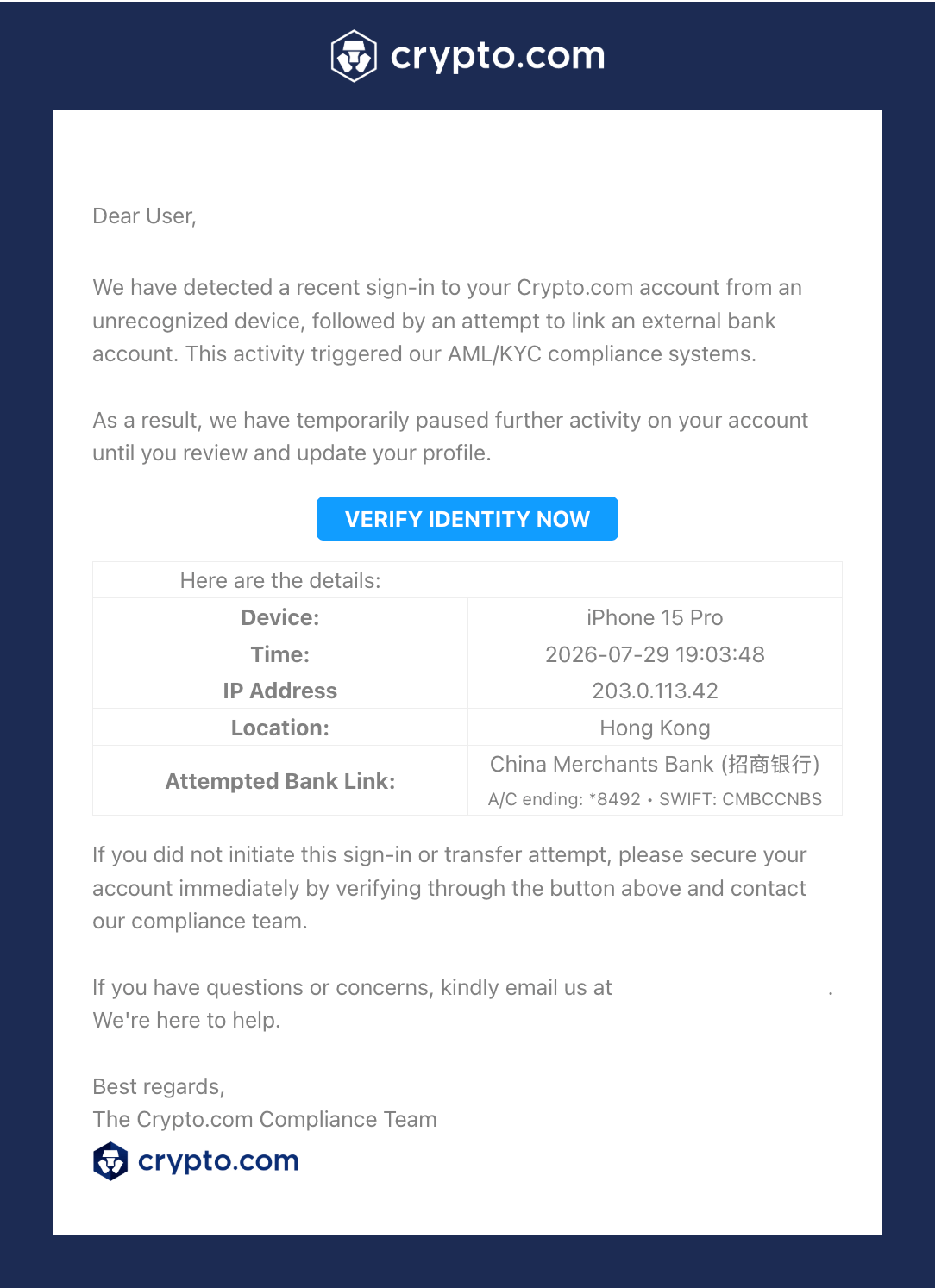
It looks like it comes from Crypto.com, and it says someone just signed into their account from a device in Hong Kong, then tried to link a foreign bank account. There’s a button to lock it down: Verify Identity Now.
From: Crypto.com <hello@crypto.com>
Subject: Log In to Your Crypto.com App Account
They do what the training says. They check the sender address: hello@crypto.com, the real one. They hover over the link: it shows a crypto.com domain. Both pass.
So they click. They enter their password, approve the two-factor prompt, and secure the account. Within minutes, $50,000 in Bitcoin is gone.
I investigated this incident. What I found is worth looking at, because the checks most of us were taught to rely on are no longer sufficient, and the reason why is hiding in plain sight in almost every marketing email you have ever received.
The red flags, and why they didn’t matter
There were tells in this email. A trained eye might have caught some of them. It’s worth saying up front why none of them saved the victim: the two checks people are actually taught to run, the sender address and the link domain, both came back clean.
The subtler flags below are the kind you notice on a careful second read, not while clearing your inbox on a Sunday afternoon, and even catching one might not have overridden the reassurance of a real sender and a real domain.
Here’s what was there:
#1. An IP address that can’t exist.
The email cited details of the “suspicious login”: an iPhone 15 Pro, a timestamp, a Hong Kong location, and an IP address, 203.0.113.42. That address is reserved by RFC 5737 for documentation only.
It’s the networking equivalent of a phone number starting with 555, a placeholder that can’t belong to a real device. A genuine security system logging a real intrusion cannot produce it. Whoever wrote the email copied a placeholder from a template without knowing what it was.
#2. Invisible characters in the brand name.
The words “Crypto.com” throughout the message contained zero-width Unicode characters, hidden between the visible letters.
It’s a trick to slip past spam filters that flag brand impersonation by keyword. You can’t see it; a filter can.
#3. A copyright from the wrong year.
The footer read 2022 on an email sent in 2026, the fingerprint of a template cloned from an old legitimate Crypto.com message and never fully updated.
#4. A generic greeting.
The salutation was “Dear User.” A real alert from an exchange that has your name on file would use it.
None of this explains the part that matters, though. The sender was real. The link domain was real. So how did this happen?
The link was real. The destination wasn’t.
The verification button pointed here (defanged so you cannot click it by accident):
hxxp://url1137.crypto[.]com/ls/click?upn=u001.a3rDJB2v9y9h...If you have ever looked closely at links in newsletters or promotional emails, that /ls/click?upn= pattern might look familiar.
It is a SendGrid click-tracking link. SendGrid is one of the largest email service providers in the world, and companies that use it typically set up a branded tracking subdomain. In DNS terms, Crypto.com published a record that says: url1137.crypto.com points to SendGrid’s servers.
Here is the mechanism that makes this attack work, and it applies to essentially every company that sends tracked email.
When any message goes out through SendGrid with click tracking on, SendGrid rewrites every link in the body.
Your original link, whatever it is, gets encrypted into that long upn blob and wrapped in the trusted tracking domain. When a recipient clicks, SendGrid’s server decrypts the blob, logs the click for analytics, and redirects the browser to the original destination.
The tracking domain is a redirector. It forwards clicks to whatever URL the email’s author chose. The trusted domain you see when you hover is packaging, applied automatically, and it tells you nothing about where you will land.
I ran the link through a redirect tracer. The chain:
url1137.crypto[.]com/ls/clickresponds with a 301 to its https equivalent.The https tracker responds with a 302 to the true destination:
sites.google[.]com/view/visitor-[redacted]/app
The destination was a Google Sites page. By the time it could be examined, it was gone. Google Sites is a favorite among phishing operators because a page spins up in seconds inside a throwaway Google account and vanishes just as fast.
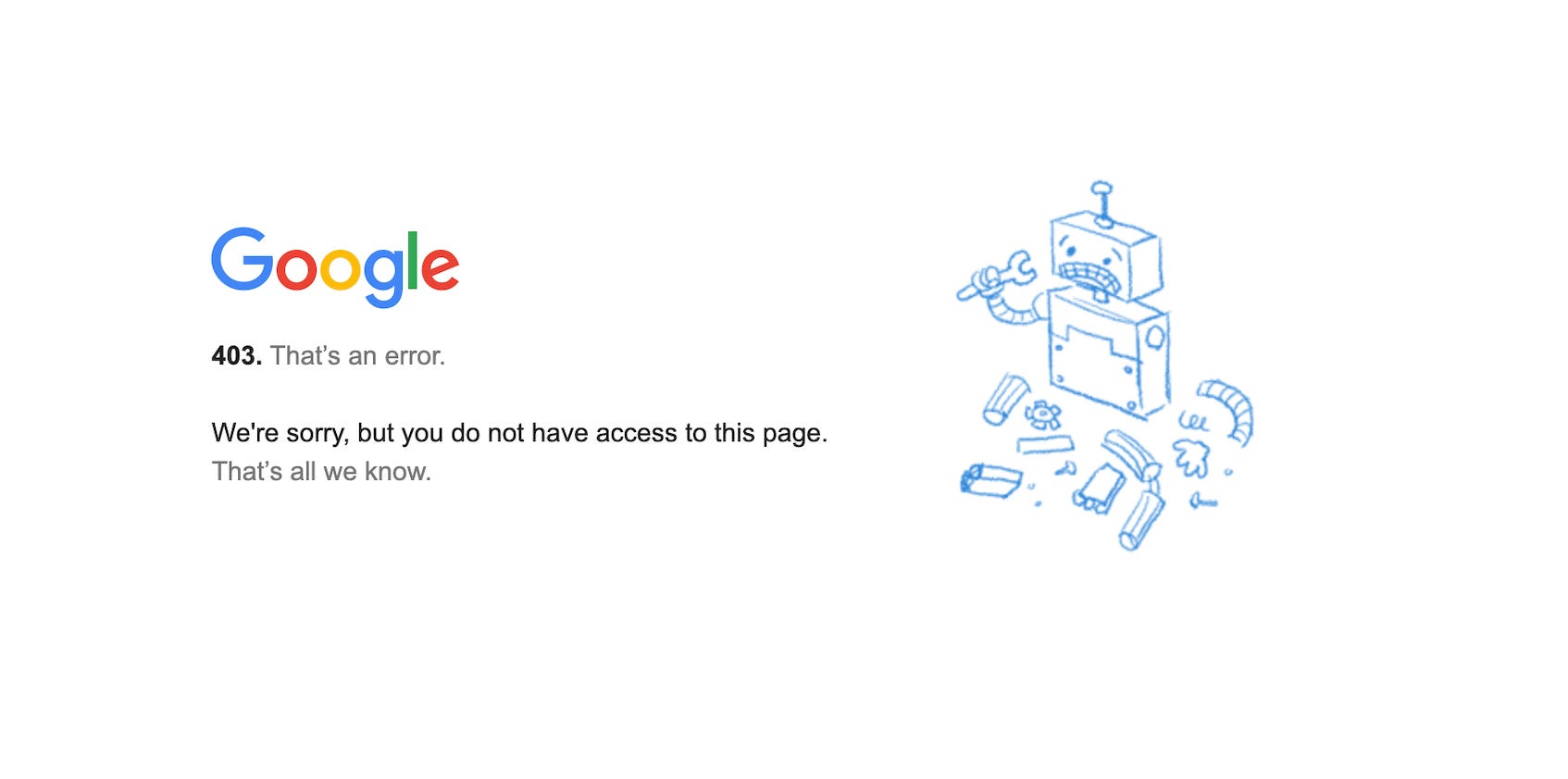
It has the trust of the Google brand: the page sits on google.com infrastructure, carries a valid TLS certificate, and sails through corporate web filters that would block a sketchy new domain. The page name was a disposable string, the kind that gets spun up, burned, and replaced.
So the victim hovered the link, saw crypto.com, clicked, and landed on a page hosted on Google’s own servers. Two trusted brands chained together, and the attacker hid behind both.
Speed points to automated attack.
Within minutes of the credentials being entered, the funds were gone. Soon after that, the phishing page was deleted, and every trace of the attacker was gone with it. The only artifact left behind is the wallet address that received the money, which I am withholding here while the case is under investigation.
The page was taken down before anyone could examine it, so I can’t say what ran on it or how 2FA was defeated. What’s certain is the outcome: the victim entered a valid one-time code, and the attacker got in.
The speed is the tell. Funds drained and infrastructure gone within minutes. A person working by hand doesn’t move that fast. This was tooling built to turn a click into an empty wallet and then erase itself.
Is Crypto.com’s SendGrid Compromised?
When an email goes out through a SendGrid account, SendGrid wraps every link in that account’s tracking domain at the moment of sending.
The destination is chosen by whoever composed the message inside the account. Nobody on the outside can reach in and change it afterward.
Now apply that to this email. The link wore Crypto.com’s own tracking domain and delivered victims to an attacker’s page. If the wrapping happened inside Crypto.com’s SendGrid account, then the email itself came from inside that account.
It was not spoofed and it was not a lookalike domain.
Someone with access to their sending infrastructure pressed send. That access could come from a stolen subuser login, a leaked API key, or a breached marketing vendor with permission to send on their behalf.
There is one other way to wear a company’s tracking domain without touching its account. If a tracking subdomain is retired but its DNS record is left pointing at SendGrid, an attacker can register their own SendGrid account and claim the abandoned subdomain for themselves. Their emails then carry links on url1137.crypto.com even though Crypto.com’s systems were never breached.
There is a public clue that narrows it, and anyone can check it. Crypto.com publishes the strictest email policy available: DMARC set to reject, with strict alignment. In plain terms, that record tells Gmail and Outlook to refuse any message claiming to be from crypto.com unless it carries a valid cryptographic signature that only Crypto.com’s authorized sending systems can produce.
A hijacked subdomain gets an attacker a trusted-looking link. It does not get them that signature. Under a reject policy, an email showing hello@crypto.com without it should never have reached an inbox at all.
Follow that to its conclusion. For this message to land, it almost certainly had to pass through sending infrastructure that Crypto.com itself authorized, which points back to the first scenario: someone got inside, whether through a stolen login, a leaked key, or a breached vendor.
That also explains why every check passed. Email authentication did exactly what it was built to do, which is verify the infrastructure. It has no opinion about who is sitting at the controls, and it has never heard of the person on the other end.
Crypto.com’s sending logs can confirm exactly how that access was obtained. What is already on the record is the redirect chain and their published email policy, and together they leave a narrow set of explanations, every one of which runs through Crypto.com’s own infrastructure being turned against its customers.
Crypto.com publicly warned in late July of a surge in targeted phishing against its users. This incident fits that wave.
Why 2FA Didn’t Help
The victim had 2FA enabled and used it. It did not matter.
One-time codes, whether SMS, an authenticator app, or email, all share the same weakness: they depend on you being able to tell a real login from a fake one. Enter a valid code on the wrong page and it works exactly as well for the attacker as it would have for you. This attack was built to collect that code.
Crypto.com supports a defense that closes this specific hole: passkeys. A passkey is a cryptographic key stored on your device that will only authenticate on Crypto.com’s real domain and app.
Enter your details on a copycat page and there is nothing for the attacker to relay, because the passkey never produces a code to steal; it simply refuses to work anywhere but the genuine site.
Crypto.com also supports hardware FIDO2 security keys for the same purpose. Both are available in the app under Security settings, and both can replace SMS and authenticator codes for login and withdrawals.
A passkey would not make an account untouchable. If your device itself is compromised, or an attacker steals a session you have already opened, that is a separate problem. It closes the door this attack walked through: the one where a convincing page talks a trained person into handing over a code.
The lessons, in order of importance
#1. A trusted domain on a link is not evidence of a trusted destination.
Email tracking domains are redirectors by design, and virtually every commercial email you receive uses one.
Hover-and-check, the advice we have all repeated for twenty years, cannot distinguish a legitimate tracked link from a weaponized one. They are the same domain.
Do this: Don’t trust a link because the domain looks right. If you are suspicious, and want to check a link, paste it into a redirect checker like wheregoes.com to see where it actually lands before you click.
#2. Never authenticate through an email link. Ever.
This is the rule that survives every technical evolution of phishing. If a message says your account needs attention, close the message, open the app or type the URL yourself, and look at the account directly.
A real security hold will be visible there. This single habit would have prevented this entire incident, including against an email sent from genuinely compromised infrastructure. No other advice in this article can make that claim.
Do this: When an email says your account needs attention, ignore its links. Open the app or type the address yourself, and check the account there.
#3. Move your financial accounts to passkeys or hardware keys.
OTP-based MFA protects you from an attacker who has your password. It does not protect you from an attacker who has your attention. Phishing-resistant authentication protects you from both.
The habit in the previous lesson depends on you remembering to follow it. A passkey does not. It checks the domain for you, every time, and refuses to work anywhere but the real site, which makes it the backstop for the day the email is convincing enough and you are distracted enough to click anyway.
Do this: Turn on passkeys in your Crypto.com Security settings (or a hardware FIDO2 key), and use them in place of SMS and authenticator codes for login and withdrawals.
#4. Sender authentication verifies infrastructure, not intent.
As the redirect chain and Crypto.com’s published email policy showed, this message cleared every filter because it moved through the real sending pipe, carrying valid SPF, DKIM, and DMARC for crypto.com.
Those checks are worth having, but they verify the pipe, not the person at the other end of it. When the pipe itself is compromised, the message inherits all the trust of the real brand.
Crypto.com offers one signal that survives this exact scenario: the Anti-Phishing Code. It’s a personal string you set once, and Crypto.com then includes it in every legitimate email they send you.
An attacker sending through their compromised infrastructure still won’t know your code, so its absence is the tell that authentication can’t give you. Crypto.com’s own guidance is blunt about this: a real Crypto.com email will always display your code if you’ve set one up.
Do this: Set your Anti-Phishing Code now, in the Crypto.com app under Settings > Security > Anti-Phishing Code. Then treat any “Crypto.com” email that doesn’t show your code as fake, no matter how right the sender and links look.
#5. Your old breaches follow you.
Billions of email-and-password pairs from old breaches are traded in credential-stuffing lists. If you’ve used an email or password for years, assume it’s on one. You can’t undo that, but you can make it worthless.
Do this: Check your email at haveibeenpwned.com and turn on its free alerts. Never reuse a password, so one breach unlocks nothing else.
Use a different email alias per site (Apple Hide My Email, Fastmail) so one leaked address can’t map to your other accounts.
Run all of it through a password manager (Bitwarden, 1Password, etc), which also verifies the real domain before autofilling.
When the checks stop working
The victim didn’t do anything stupid. They ran the exact checks security training tells you to run, the same ones most professionals would run, and the checks came back clean because the attack was built to beat them.
It used to be that you could spot a phish if you looked closely enough. Now there’s often nothing to spot. The sender is real, the domain is real, the certificate is valid, and the only thing wrong is who’s on the other end. Looking closer doesn’t help when everything you’d check is legitimate.
What still works is not relying on your own judgment. Don’t log in through email links, ever. Use a passkey or security key, which checks the domain for you and won’t hand anything to a fake site no matter how convincing it looks.
Check your account today. Set up your Crypto.com anti-phishing code and a passkey. Both take a few minutes and cost nothing, which is a lot less than $50,000.
If you received a Crypto.com email recently claiming a suspicious login or an attempted bank link, do not click anything in it. Open the app directly and check your account there. If you have been hit by this campaign, file with the FBI at ic3.gov immediately; freeze requests to exchanges are most effective in the first days.
Their first mistake was clicking a link in an email. At all. The only acceptable links to click on in an email are, say, from a Substack post.
You never do that for companies you do business with - not even Amazon.
You go to the company home page on the Web in your browser from a link you have in your browser or, better, the link you have in your on device password manager.
Thus you access the REAL home page of the company. You login using their login page - following whatever protocol they require - and then you do whatever business is needed.
This whole scam would have failed if this obvious approach had been taken. Phishing only works if you don't do this habitually.